Automation
Tenants and configuration, as code.
Everything the Admin UI does runs on the GraphQL Management API, so you can script tenant setup, accounts and configuration across environments, brands and customers.
- tenants, each fully isolated
- ∞
- tenants, each fully isolated
- one API for every resource
- GraphQL
- one API for every resource
- every operation as a tool for AI agents
- MCP
- every operation as a tool for AI agents
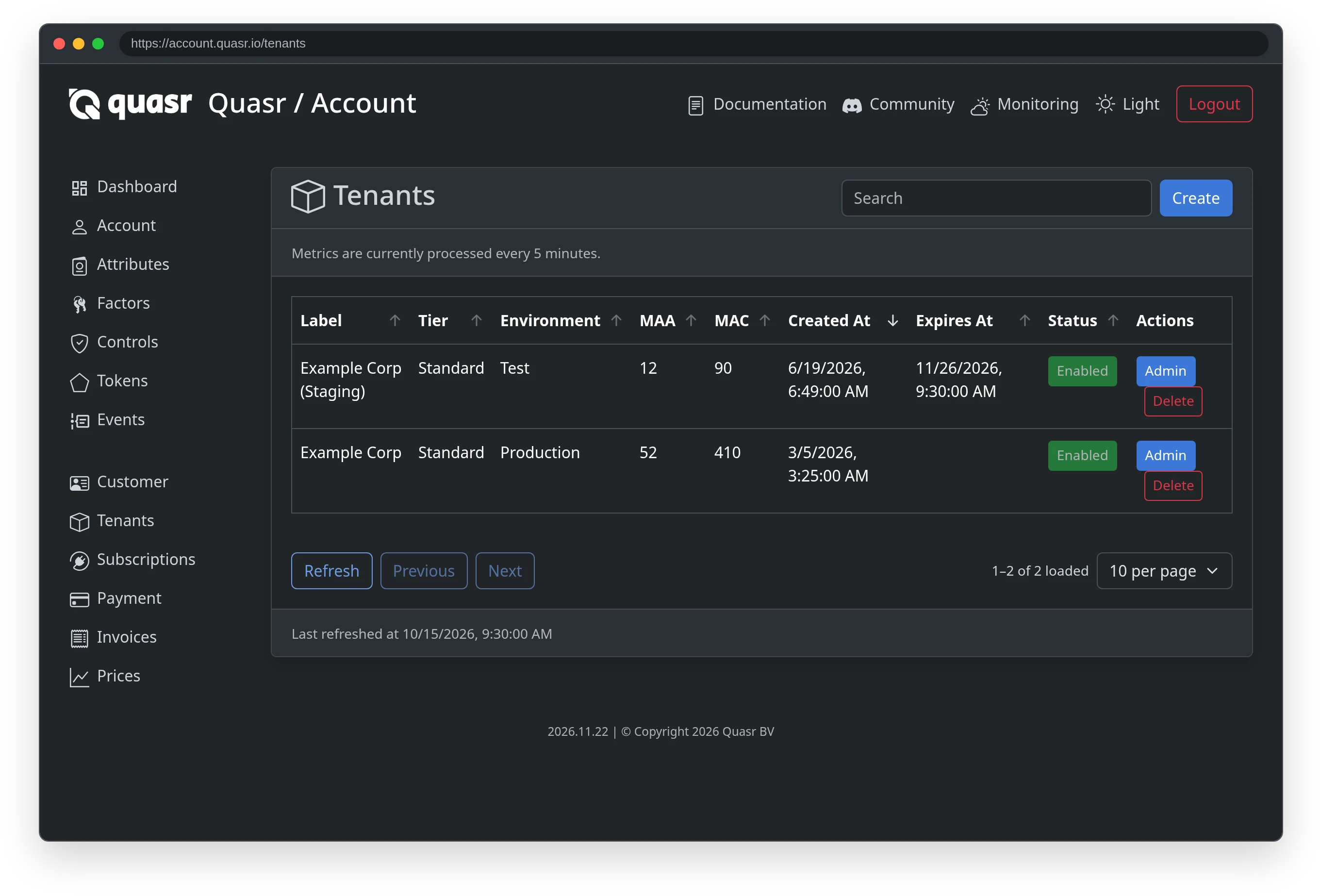
Unlimited tenants
Separate environments, brands, B2C and B2B audiences or your own customers, each in a fully isolated tenant.
GraphQL for everything
Accounts, tenants and configuration: the Management API powers the Admin and Account UIs, and your scripts.
Agents welcome
The Agent API exposes every Management API operation as an MCP tool, with secrets redacted automatically.
Sign in across tenants
Every new tenant comes with “Login with Quasr”, so you sign in to it with your Quasr account.
Clean by default
Unused tenants, inactive and pending accounts and unused extensions expire automatically, so nothing lingers.
Usage metrics
Monthly active accounts, API calls and tenants, processed every 5 minutes, per tenant and across your subscriptions.
Specifications
- environments
- development, test, production: each sets its own network security level
- unused_tenants
- deleted after 90 days (not on Enterprise)
- inactive_accounts
- 90 days by default, up to 400 days
- pending_accounts
- 1 day by default, up to 30 days
- subscriptions
- as many as you need, tenants attached as you like
mutation createTenant(
    $input: CreateTenantInput!
) {
    createTenant(input: $input) {
        id
        label
        account
        subscription
        status
        created_at
        created_by
        updated_at
        updated_by
        expires_at
    }
}
Other building blocks
Ship login this afternoon.
Create a free account, configure your first tenant and connect your app with OpenID Connect.
No credit card required